Works inside Claude, ChatGPT PLUS Dots, Muse, Grok Bot, OpenClaw etc!
Schedule the whole group. Not just one person.
Booking links are built for one-on-ones. Team Scheduler finds a time for everyone — across teams, other organizations, and personal Google accounts — and books it in one click, or straight from your AI assistant.
Included in every plan · Cancel anytime · Your data is never used to train AI models
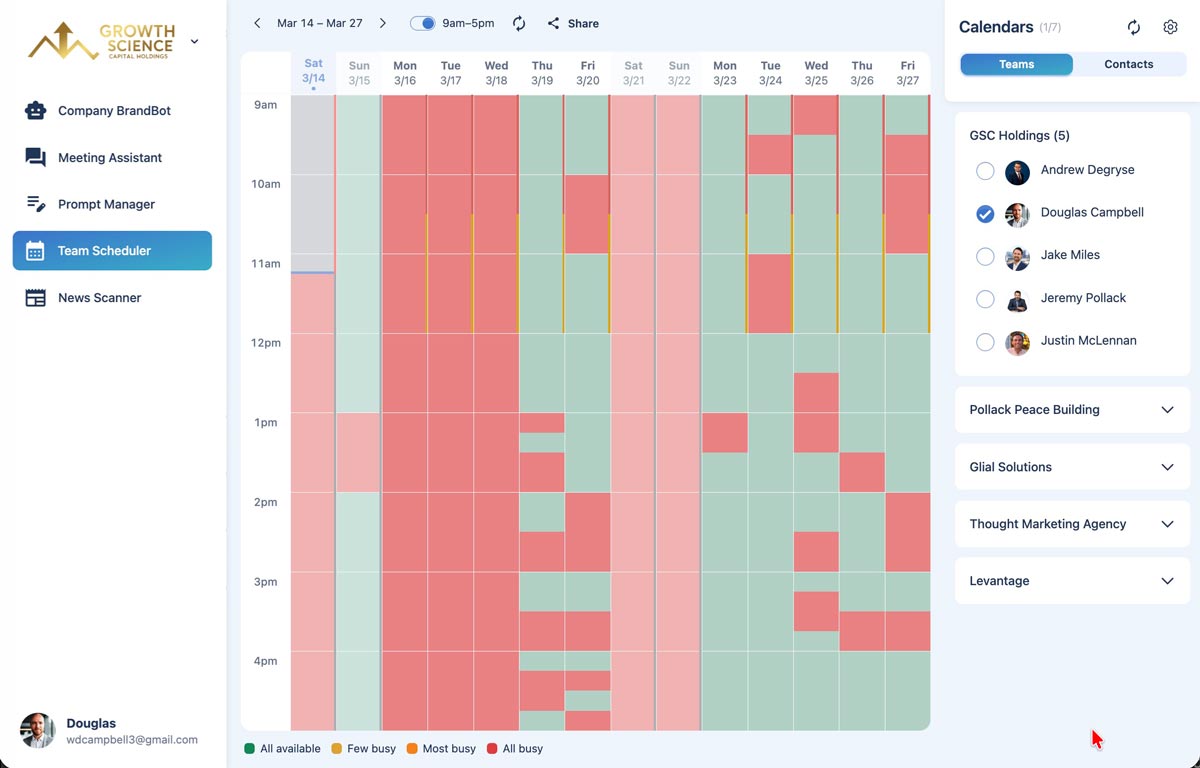
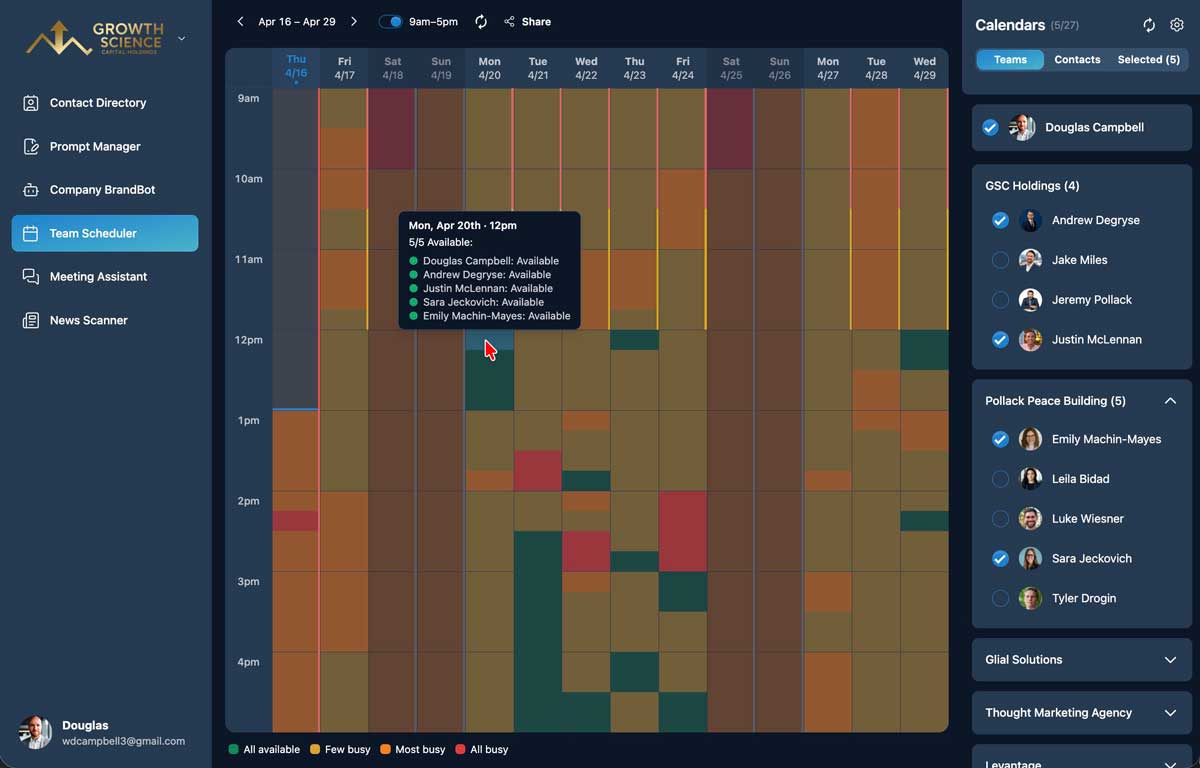
Find out when Jeremy, Sara, and I are free next week to meet for 15 minutes and book it.
Done — Tuesday at 2:00 PM works for all three of you. The invite is on everyone's calendar with a Zoom link.
Sound familiar?
Tools like Calendly handle one person's calendar — not five people across three companies.
The only overlap with another time zone falls just outside your working hours.
“When are you all free next week?” turns into a dozen group messages to book a time.
There's a better way.
See when everyone is free — across your team, other organizations, and personal Google accounts — and book in one click, with a Zoom link included.
Find out when Jeremy, Sara, and I are free next week to meet for 15 minutes and book it.
Done — Tuesday at 2:00 PM works for all three of you. The invite is on everyone's calendar with a Zoom link.
Works inside
- Claude
- ChatGPT
- OpenAI Dots
- Meta Muse
- Grok Bot
- OpenClaw
- Any MCP-compatible agent
How it works
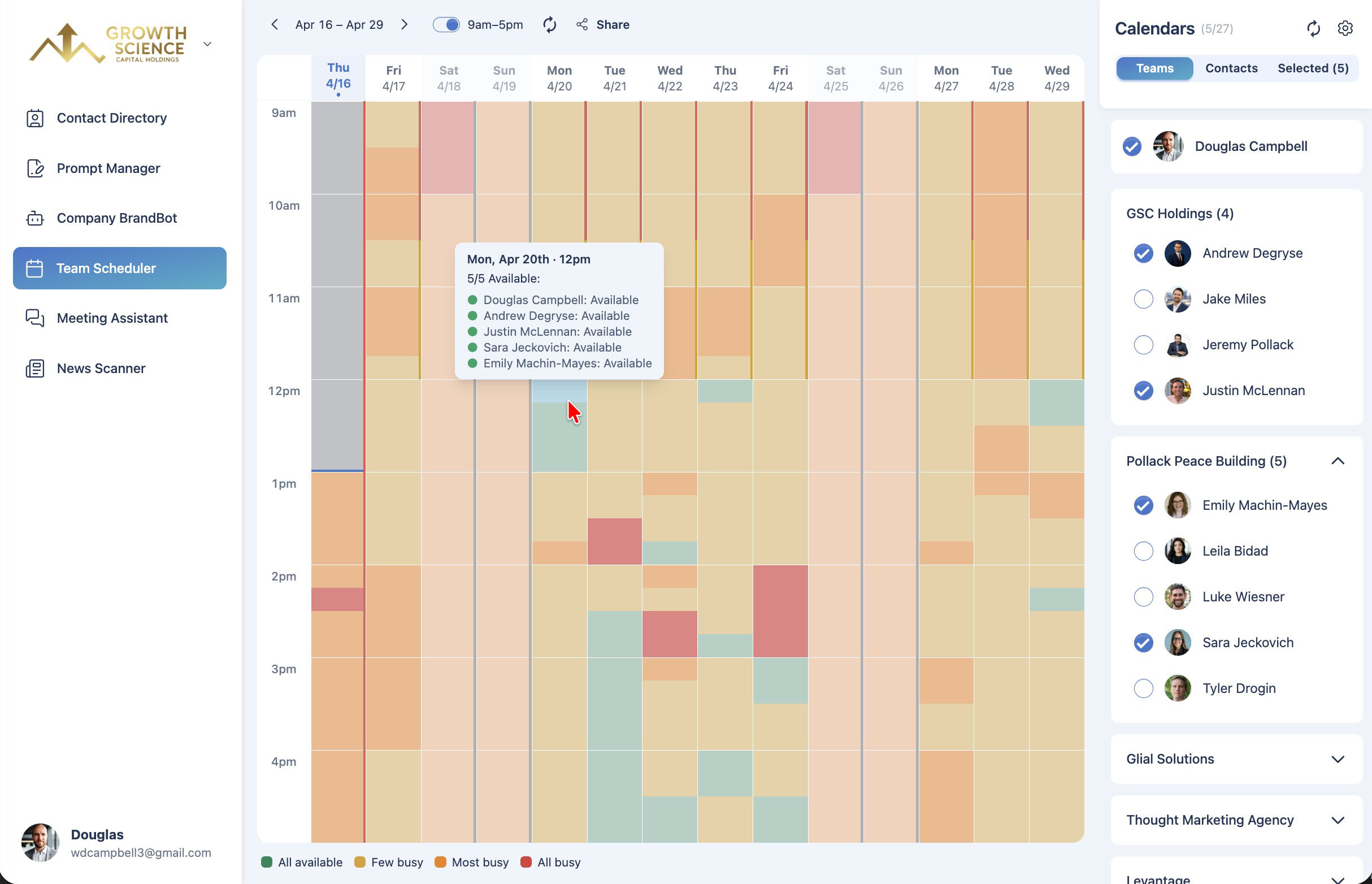
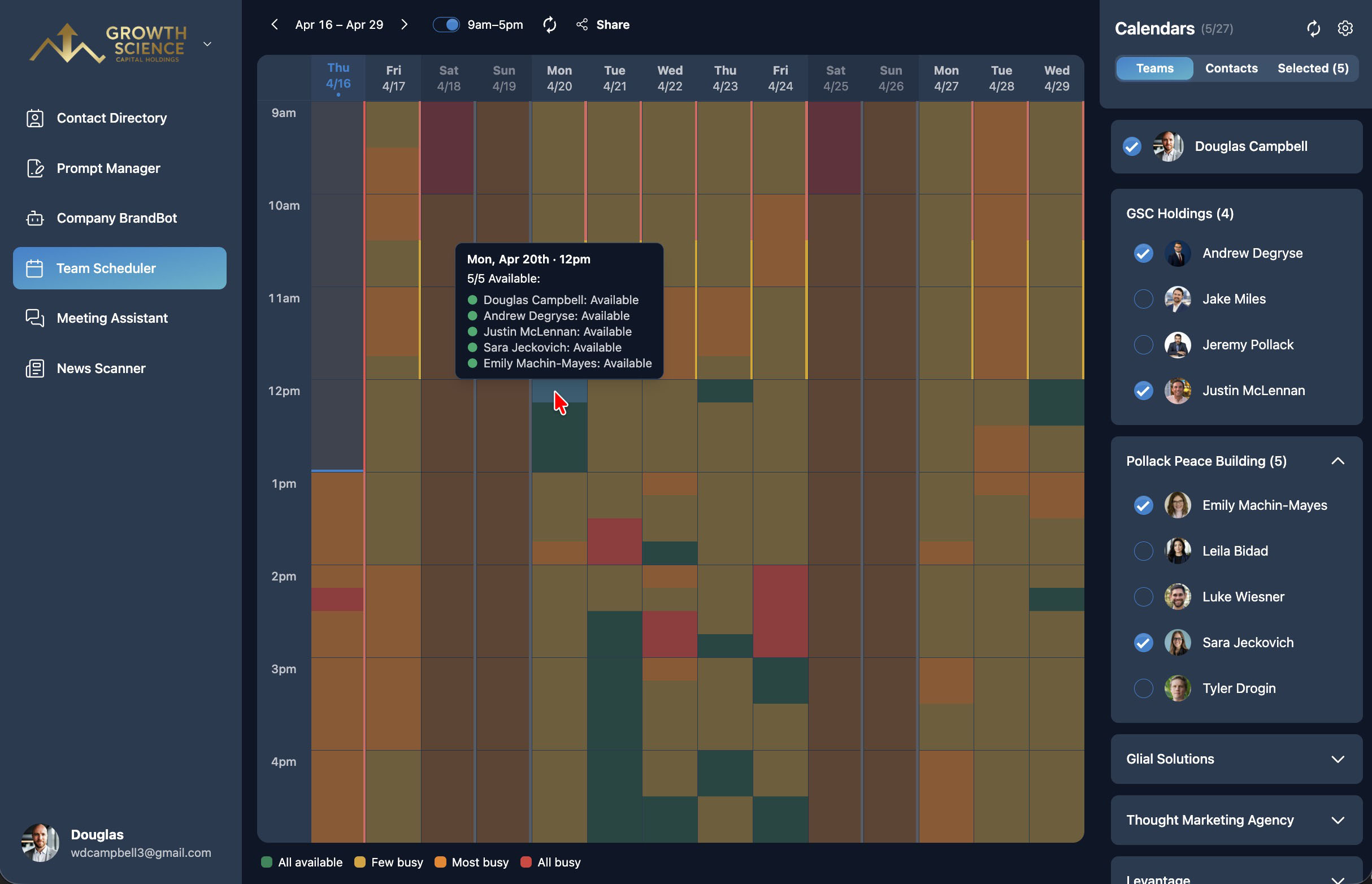
Easily find group availability.
- 1
Connect your calendars
Link any Google Calendars — work or personal — and pick exactly which ones count.
- 2
Set your rules
Working hours, away time, buffers, and soft “if necessary” blocks.
- 3
Book or share
Pick a time on the group heatmap, ask your AI assistant, or send a booking link.
What you get with Team Scheduler
Many people, any organization
Check availability for a whole group at once — teammates, other organizations, even personal Google accounts.
Bookable beyond your hours
Let people book outside your available times or over blocked time — ideal across time zones.
Every calendar that counts
Select as many specific calendars as you like to check against.
Book from your AI assistant
Connect Claude, OpenClaw, or another agent in one click and book meetings in plain English. Zoom link included.
Individual and group booking links
Share your own link, or one for a group you define, with anyone — no TeamCentral account needed.
Your time, your rules
Set away hours, buffer times, heads-up notice, preferred soft blocks, and more.
Team Scheduler FAQ
Booking tools like Calendly are built around one host's calendar. Team Scheduler finds times for whole groups — across your team, other organizations, and personal Google accounts — and still gives you individual and group booking links.
Yes. Connect the TeamCentral MCP Connector once, then ask Claude, ChatGPT, OpenClaw, or another MCP-compatible agent to find a time and book it. If you've connected Zoom, a meeting link is added automatically.
Google Calendar — work or personal. Connect as many calendars as you like and choose which ones count toward your availability.
No. Anyone with your individual or group booking link can pick a time with just their name and email.
Better together
Team Scheduler is one part of the TeamCentral workspace.
Company BrandBot
Maintain on-brand AI content
Shared Links
Edit and share AI artifacts
Meeting Assistant
Get insights and summaries
News Scanner
Track industry news and updates
Contact Directory
Find people and search for skills
Prompt Manager
Save and find your best prompts
MCP Connector
Use from your favorite AI tool
And More
Actively growing tool selection
Get everyone in the same meeting — in one click
Included in every plan.