Works inside Claude, ChatGPT PLUS Dots, Muse, Grok Bot, OpenClaw etc!
Every meeting you've had, ready to answer questions.
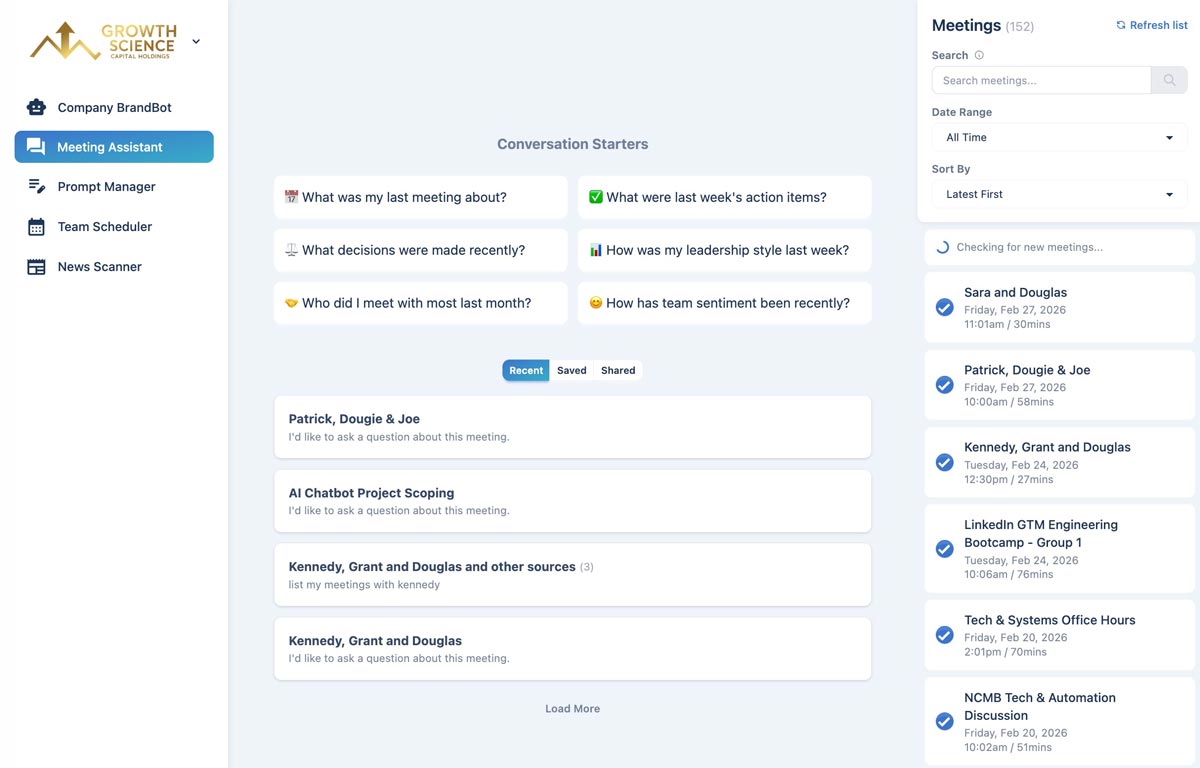
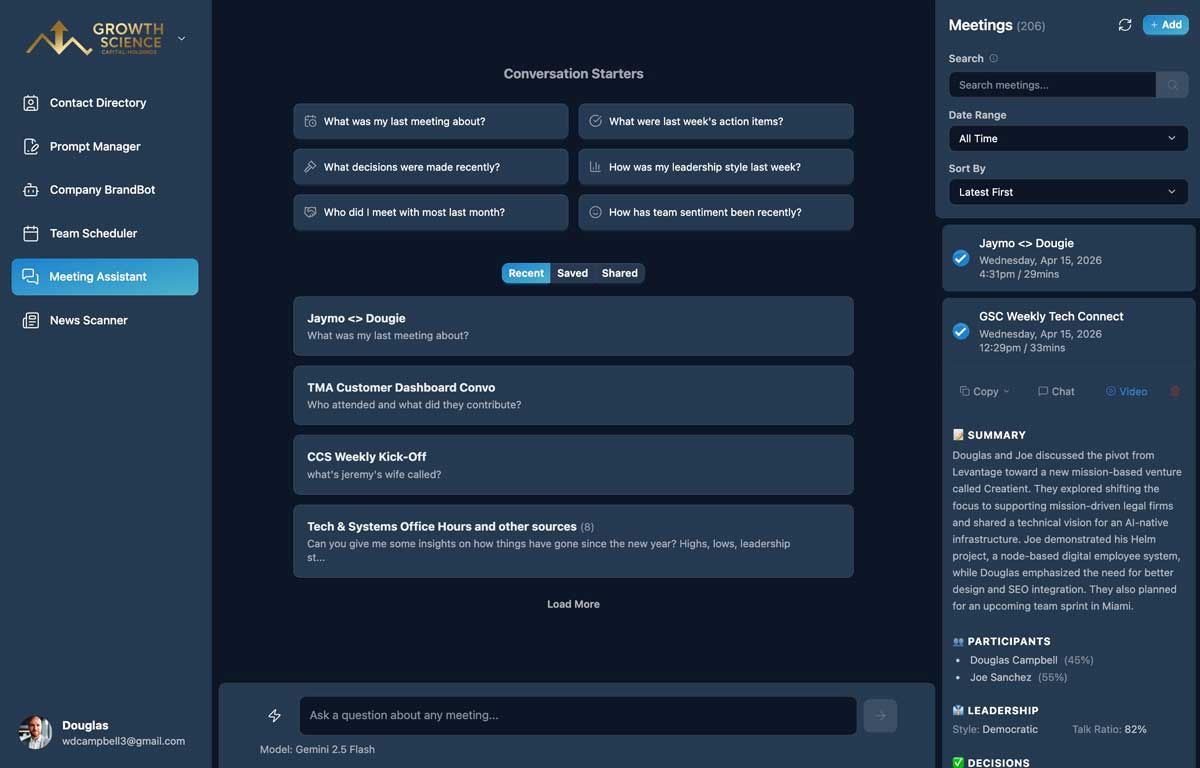
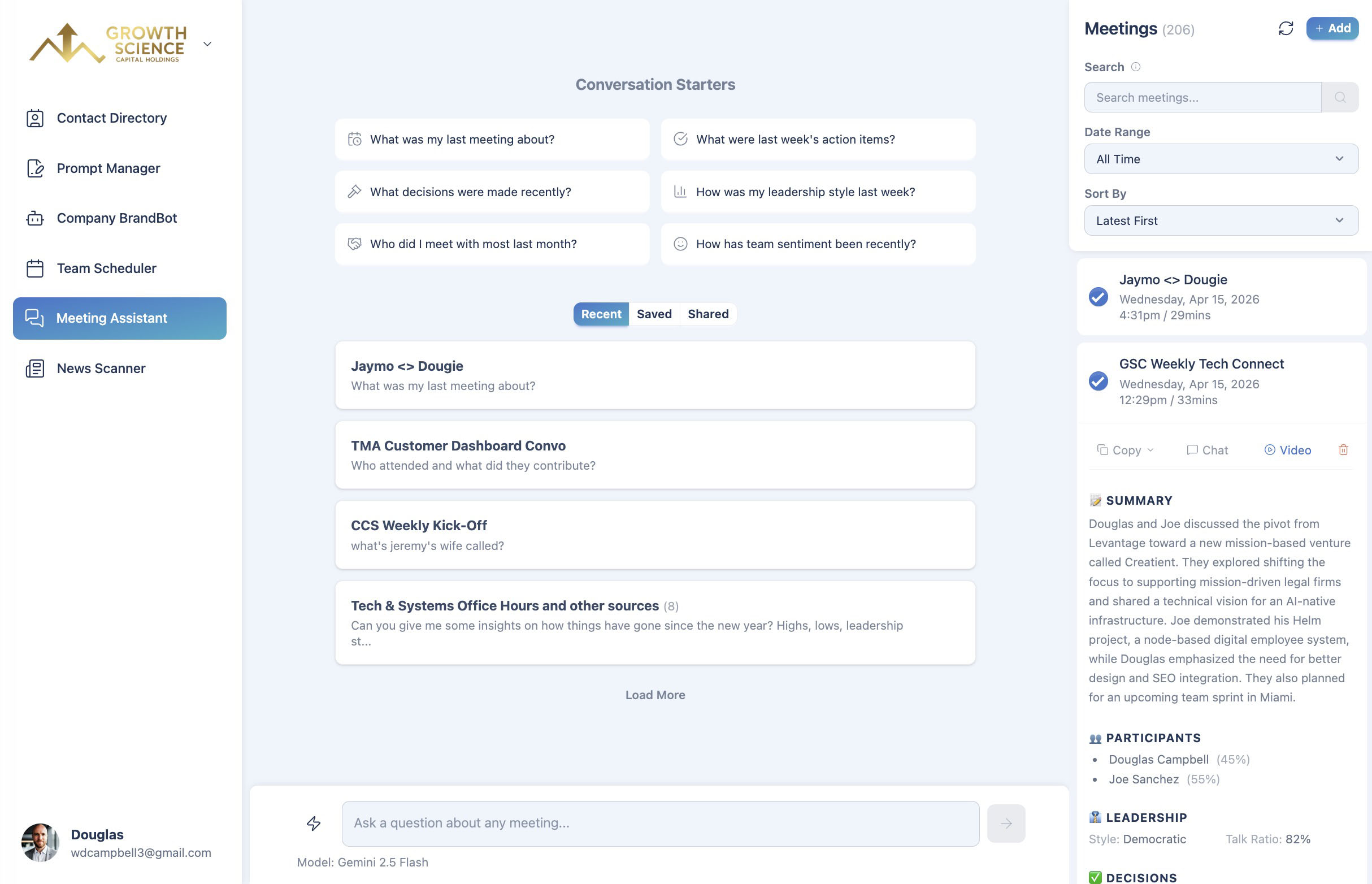
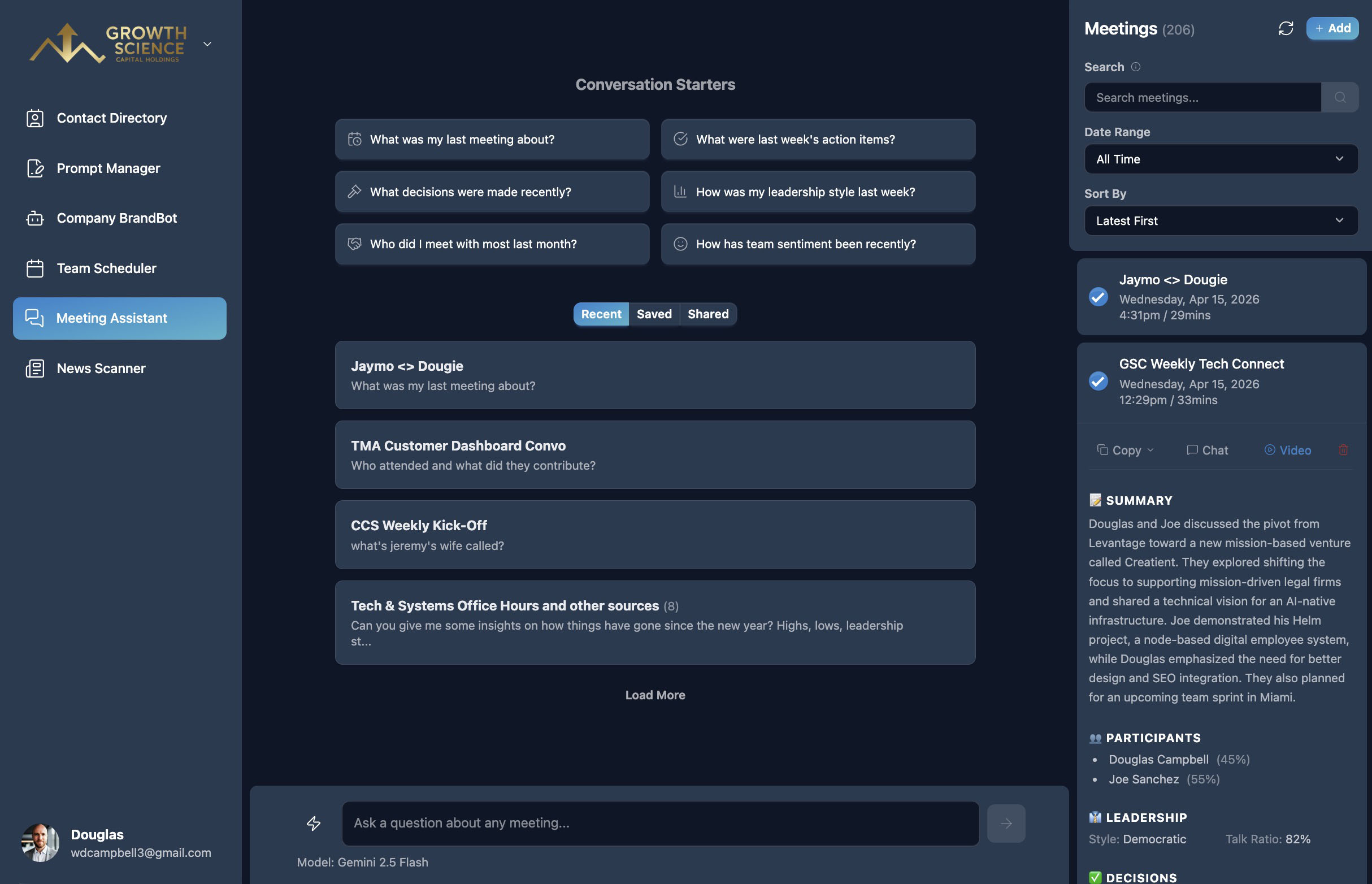
Meeting Assistant turns your transcripts into a searchable knowledge base. Ask about decisions, action items, and people across every meeting — not just the last one.
Included in Professional and Organization plans · Cancel anytime · Your data is never used to train AI models
Prep me for my call with Jason: what did we decide in our last three meetings, and what do I still owe them?
You agreed on a phased rollout and a March kickoff. You own two action items: the revised pricing deck and the security questionnaire. Shall I email them a reminder?
Sound familiar?
“What did we decide about that?” — and nobody remembers which call it was.
Action items get lost between the meeting and the follow-up.
Preparing for a call means rereading pages of old notes.
There's a better way.
Chat with all your meeting transcripts using AI. Search by participant, date, or topic — and surface action items, decisions, and key moments in seconds.
Prep me for my call with Jason: what did we decide in our last three meetings, and what do I still owe them?
You agreed on a phased rollout and a March kickoff. You own two action items: the revised pricing deck and the security questionnaire. Shall I email them a reminder?
Works inside
- Claude
- ChatGPT
- OpenAI Dots
- Meta Muse
- Grok Bot
- OpenClaw
- Any MCP-compatible agent
How it works
Get insights and summaries.
- 1
Bring your transcripts
Connect Fathom and every recorded meeting flows in automatically — or paste or email transcripts from any platform.
- 2
AI does the analysis
Each meeting gets a summary, decisions, action items with owners, and participant insights.
- 3
Ask anything
Chat across all your meetings by person, date, or topic — like “what did we promise Acme last month?”
What you get with Meeting Assistant
Chat across every meeting
Ask questions that span weeks or months of conversations, not one transcript at a time.
Decisions and action items
Every meeting is summarized with decisions made and action items with owners and priority.
Participant insights
See talk-time balance, engagement, and sentiment for each meeting.
Prep for what's next
Ask for a briefing before your next call with someone, based on your past meetings.
Automatic with Fathom
Connect Fathom once and new recordings arrive without lifting a finger.
Save and share answers
Keep useful chats and share them with a link.
Meeting Assistant FAQ
No — there's no bot joining your calls. Meeting Assistant works with transcripts from Fathom, which we recommend for its generous free tier, or transcripts you paste or email in from any other platform.
Fathom connects automatically. Transcripts from Zoom, Google Meet, Otter, Granola, or anything else can be added by pasting the text or emailing it in.
Questions about specific dates (“last Tuesday”), specific people, trends over time, or the content of your conversations — plus prep for upcoming meetings.
Never. Your transcripts are stored with strict per-user access controls and are never used to train AI models.
Better together
Meeting Assistant is one part of the TeamCentral workspace.
Team Scheduler
Easily find group availability
Company BrandBot
Maintain on-brand AI content
Shared Links
Edit and share AI artifacts
News Scanner
Track industry news and updates
Contact Directory
Find people and search for skills
Prompt Manager
Save and find your best prompts
MCP Connector
Use from your favorite AI tool
And More
Actively growing tool selection
Walk into every meeting fully prepared
Included in Professional and Organization plans.