Works inside Claude, ChatGPT PLUS Dots, Muse, Grok Bot, OpenClaw etc!
Your best prompts, always one click away.
Prompt Manager gives your AI prompts a proper home — organized in folders, versioned as they improve, and shareable with anyone on your team.
Included in every plan · Cancel anytime · Your data is never used to train AI models
Use my “Website Review & Proposal” prompt to draft a proposal for BusyCorp's website redesign and make a nice PDF to share with them.
Pulled the latest prompt, scraped their website, and drafted the proposal with scope, timeline, and pricing sections. The PDF is ready. Shall I create a shared link?
Sound familiar?
That prompt that worked perfectly last month? Buried somewhere in a chat history.
Everyone on the team is rewriting the same prompts from scratch.
You tweak a prompt, it gets worse, and there's no way back to the version that worked.
There's a better way.
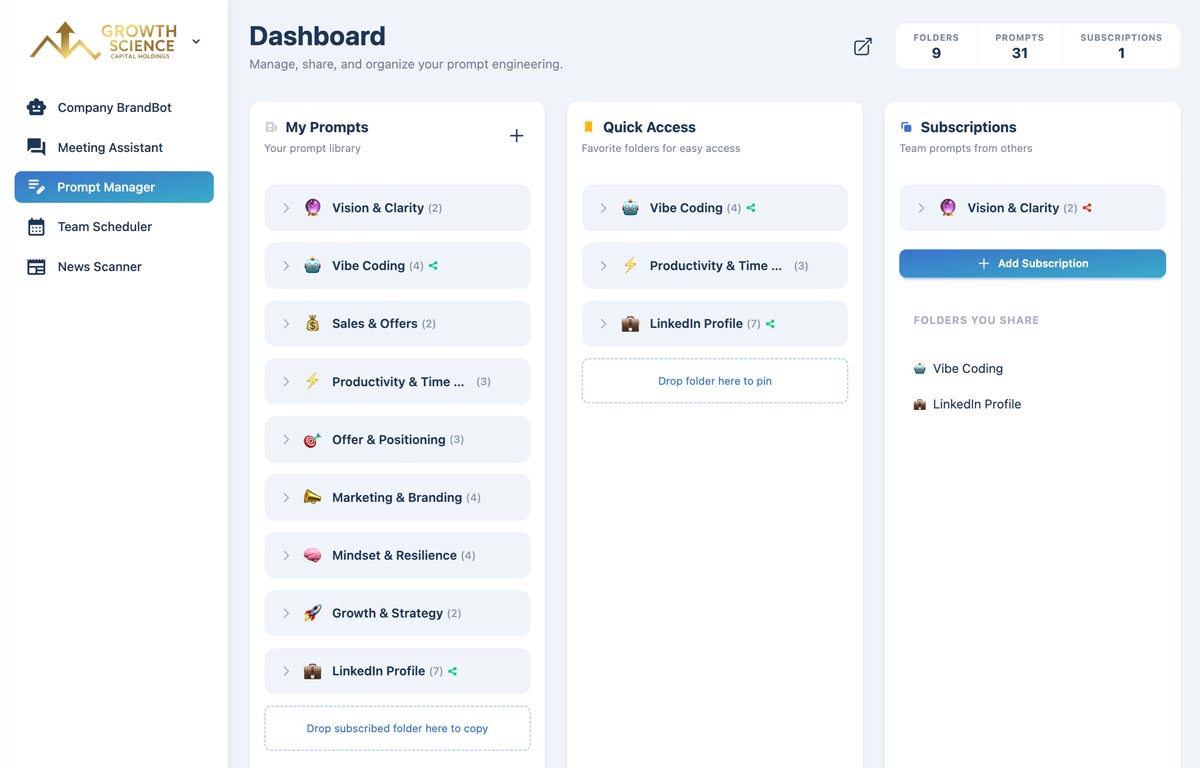
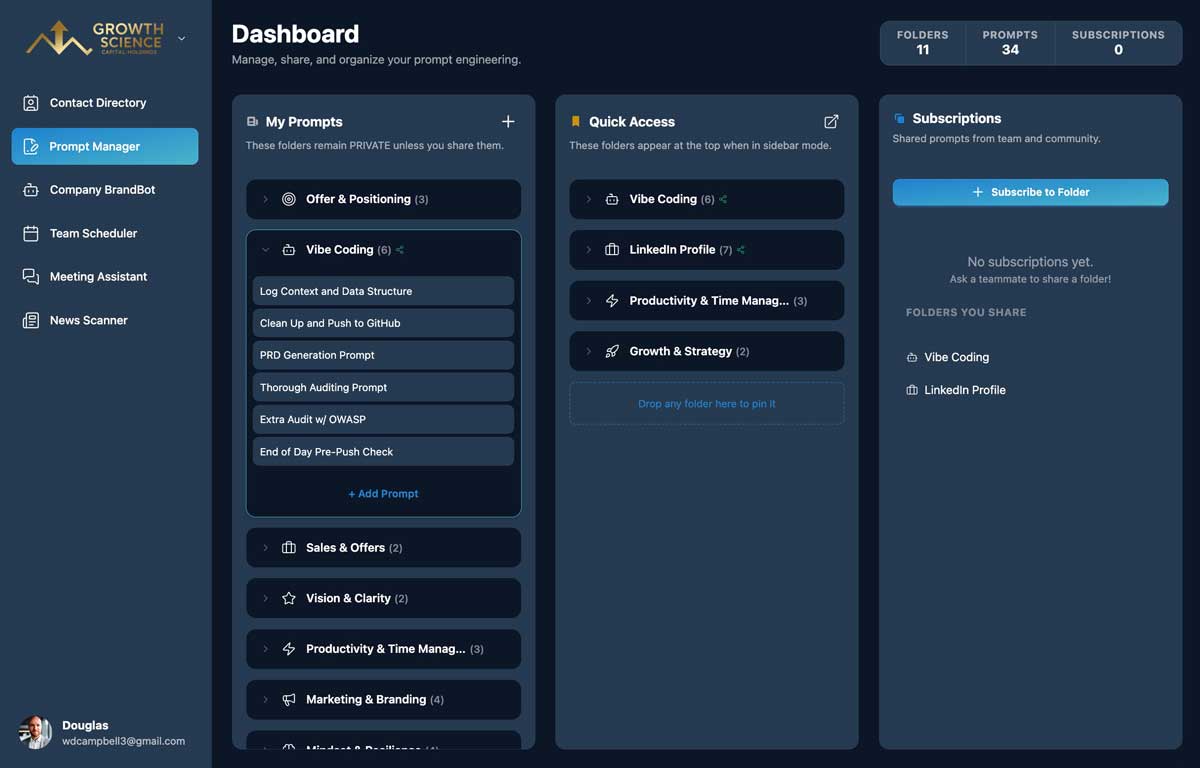
Organize, version, and share your prompts in one place. Build a team library of proven prompts that anyone can discover and reuse.
Use my “Website Review & Proposal” prompt to draft a proposal for BusyCorp's website redesign and make a nice PDF to share with them.
Pulled the latest prompt, scraped their website, and drafted the proposal with scope, timeline, and pricing sections. The PDF is ready. Shall I create a shared link?
Works inside
- Claude
- ChatGPT
- OpenAI Dots
- Meta Muse
- Grok Bot
- OpenClaw
- Any MCP-compatible agent
How it works
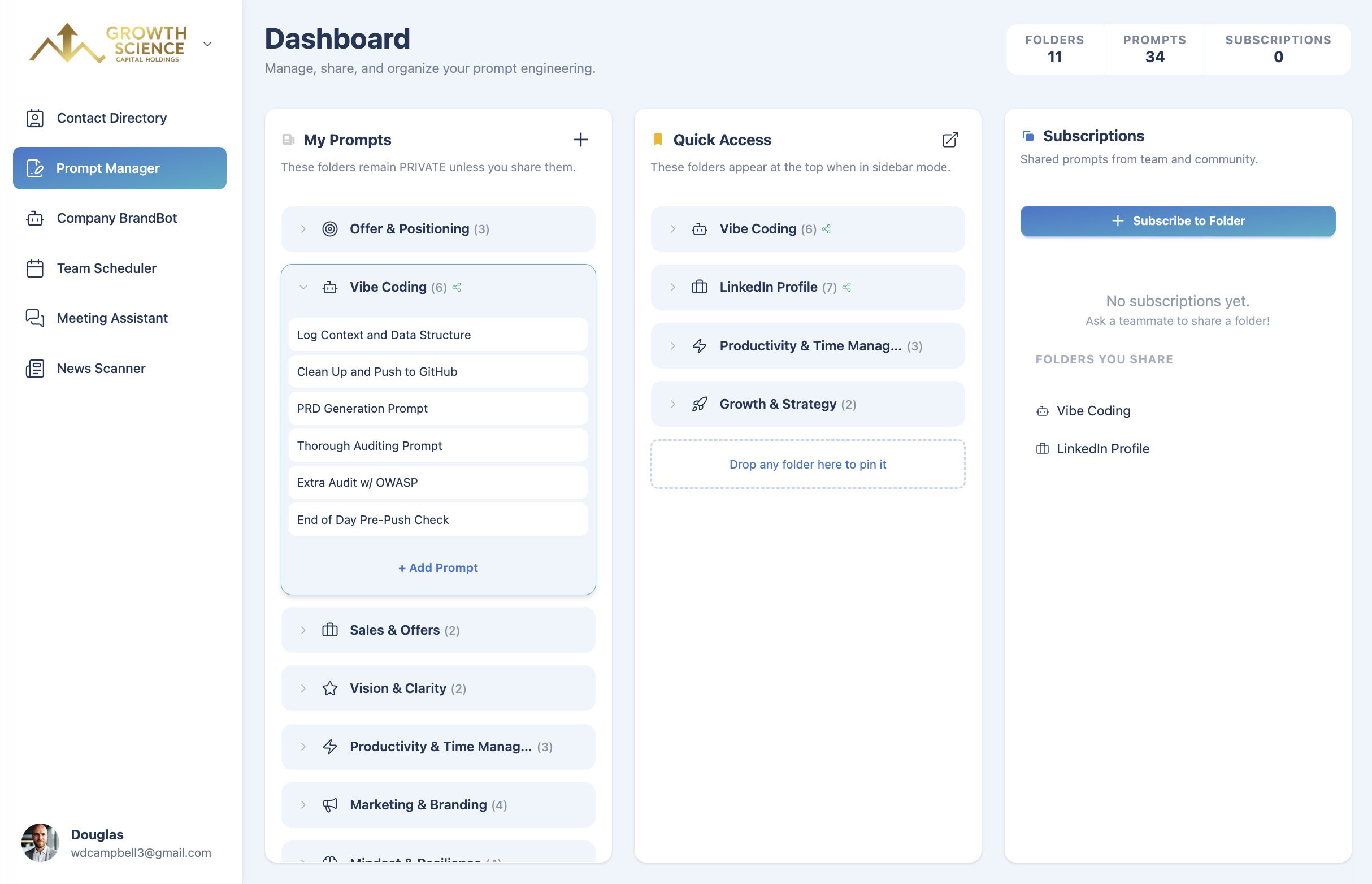
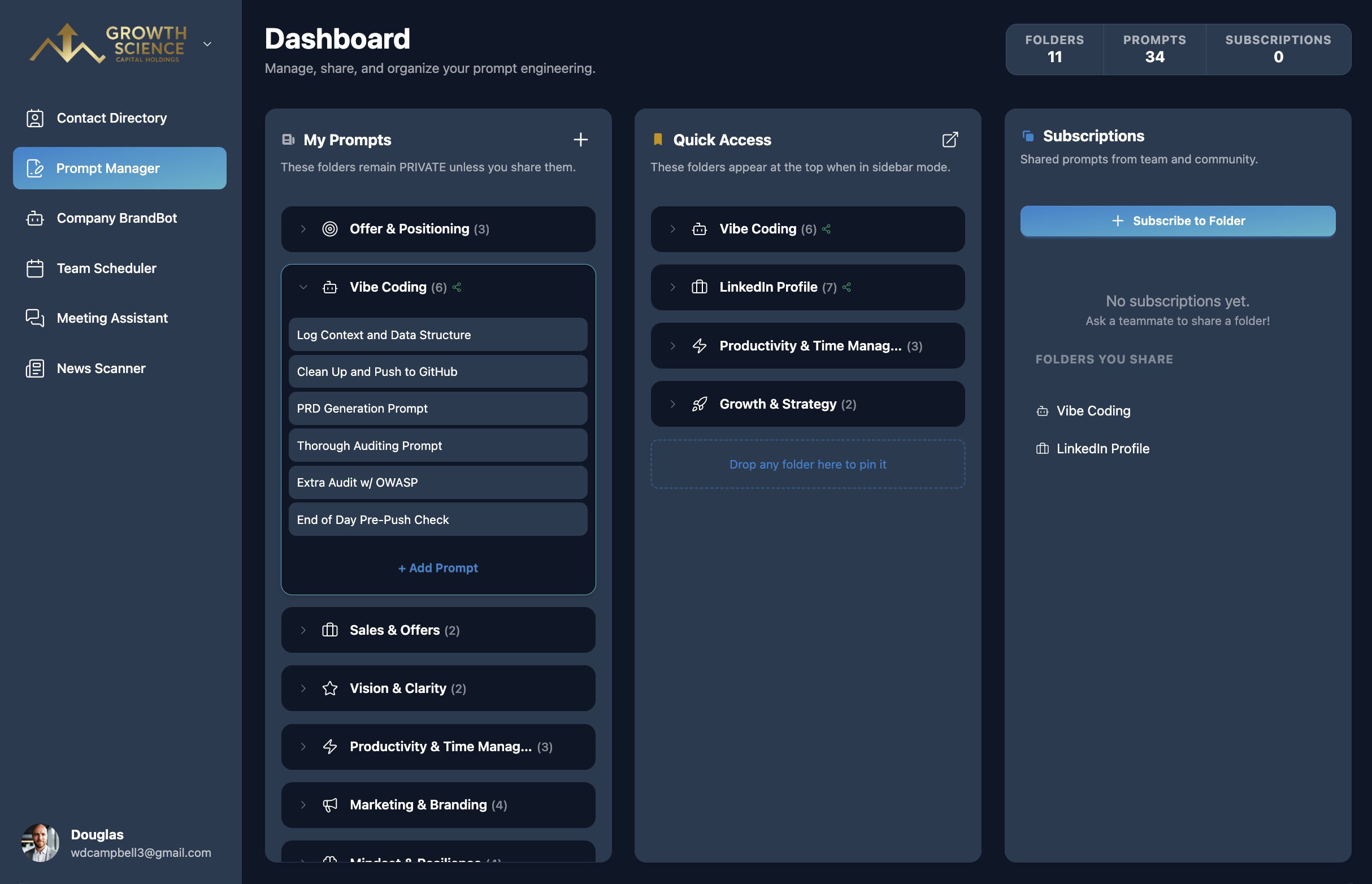
Save and find your best prompts.
- 1
Save your prompts
Add prompts to folders with names and tags. Starter prompts are included to get you going.
- 2
Refine with confidence
Every edit is saved to version history, so you can restore any earlier version in one click.
- 3
Share the library
Share a folder by link. Teammates can subscribe for live updates or copy it into their own library.
What you get with Prompt Manager
Folders and tags
Group prompts by project, client, or task so the right one is easy to find.
Version history
Track every change and restore an earlier version — or the original — whenever you need to.
One-click copy
Copy a prompt straight into Claude, ChatGPT, or any AI tool, with usage counts to show what works.
Quick Access
Pin your go-to folders and prompts to the dashboard and reorder them with drag and drop.
Subscribe or copy
Shared folders stay in sync for subscribers, or can be copied and customized.
Available inside your AI chat
With the MCP Connector, Claude and ChatGPT can read your prompt library directly.
Prompt Manager FAQ
Prompt Manager is where you store, refine, and share prompts. Copy a prompt in one click and paste it into the AI tool of your choice — or let Claude and ChatGPT read it directly through the MCP Connector.
Anyone with the link can subscribe to it — they'll always see your latest version, read-only — or copy it into their own library to customize.
Yes. Every edit is kept in version history, and you can restore any earlier version or the original with one click.
Every plan, including Individual. Organization plans add team sharing across your whole organization.
Better together
Prompt Manager is one part of the TeamCentral workspace.
Team Scheduler
Easily find group availability
Company BrandBot
Maintain on-brand AI content
Shared Links
Edit and share AI artifacts
Meeting Assistant
Get insights and summaries
News Scanner
Track industry news and updates
Contact Directory
Find people and search for skills
MCP Connector
Use from your favorite AI tool
And More
Actively growing tool selection
Turn your best prompts into a team asset
Included in every plan.