Works inside Claude, ChatGPT PLUS Dots, Muse, Grok Bot, OpenClaw etc!
Know exactly who to call — every time.
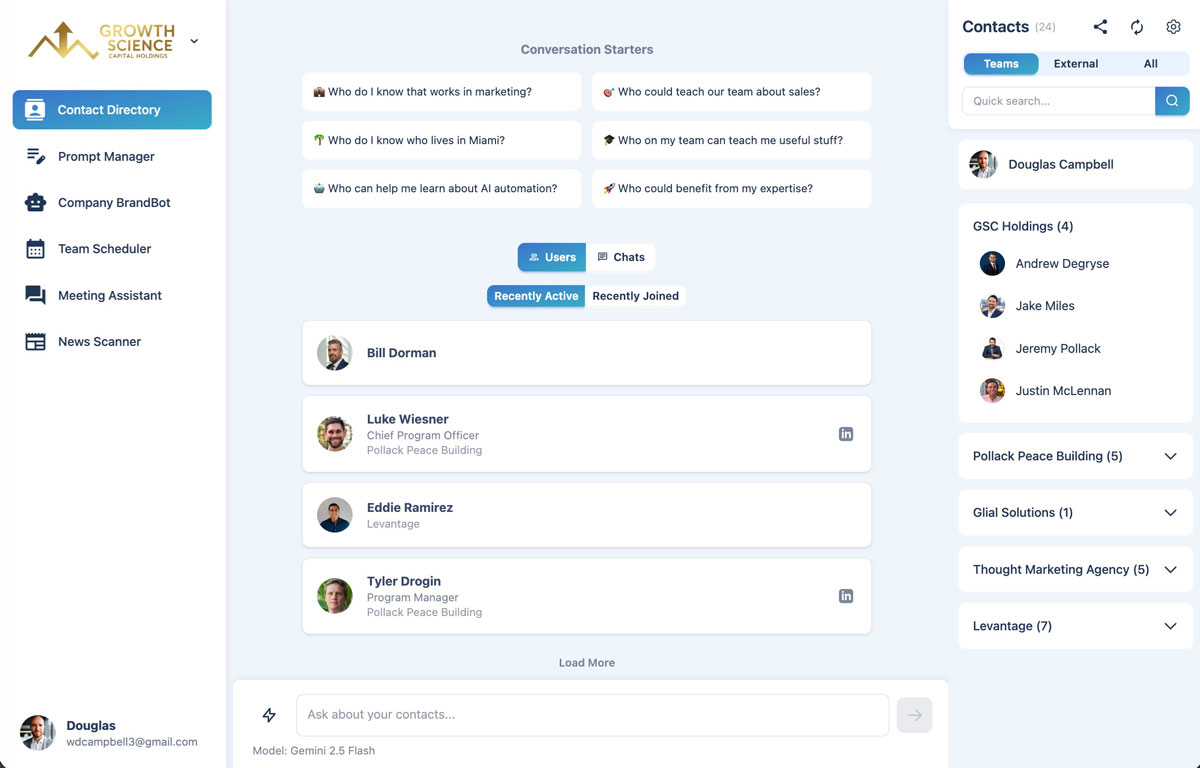
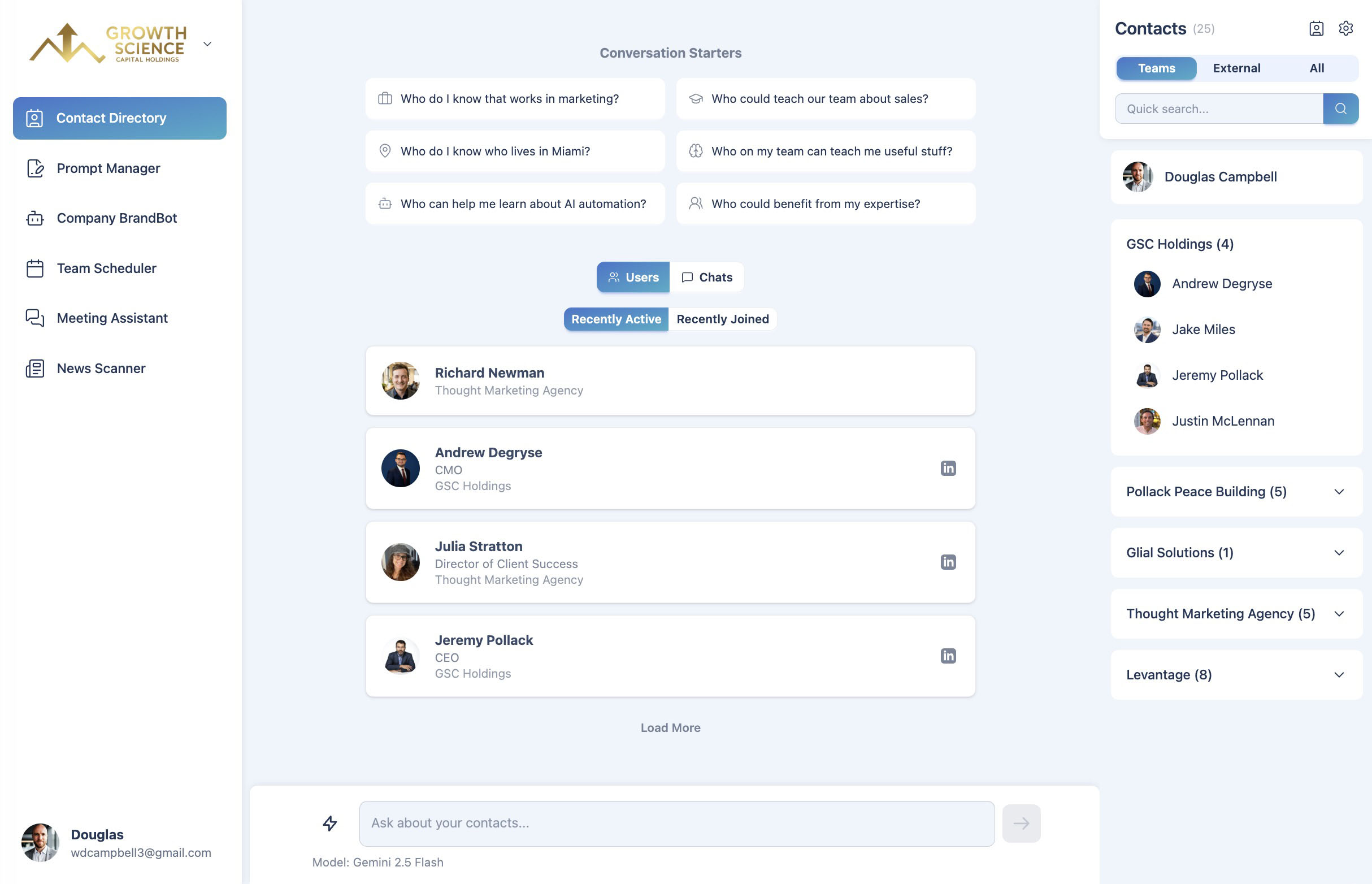
TeamCentral brings your team, your partner organizations, and your connections into one searchable directory. Find the right person by name, role, location, or expertise — or just ask.
Included in every plan; AI contact chat on Professional and up · Cancel anytime · Your data is never used to train AI models
I'd like to put together a training session for the team to better understand our new rebranding initiative. Who should lead it?
Maria Lopez and Frank Barlow are your best bets. Maria can talk about the design, and Frank can talk about PR angles. Shall I book a call for the three of you?
Sound familiar?
You know someone on the team has the right contact — you just don't know who.
Profiles, titles, and LinkedIn links live in a dozen different places.
Sharing your details with a new connection means another round of copy-paste.
There's a better way.
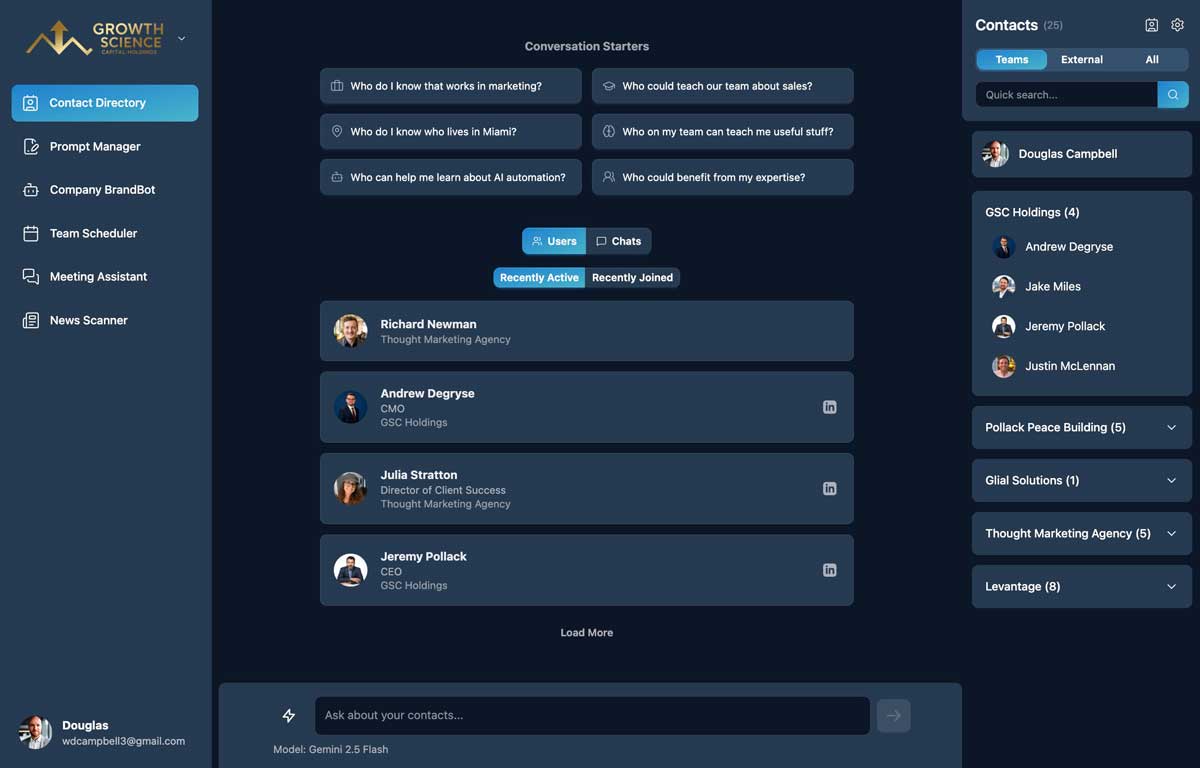
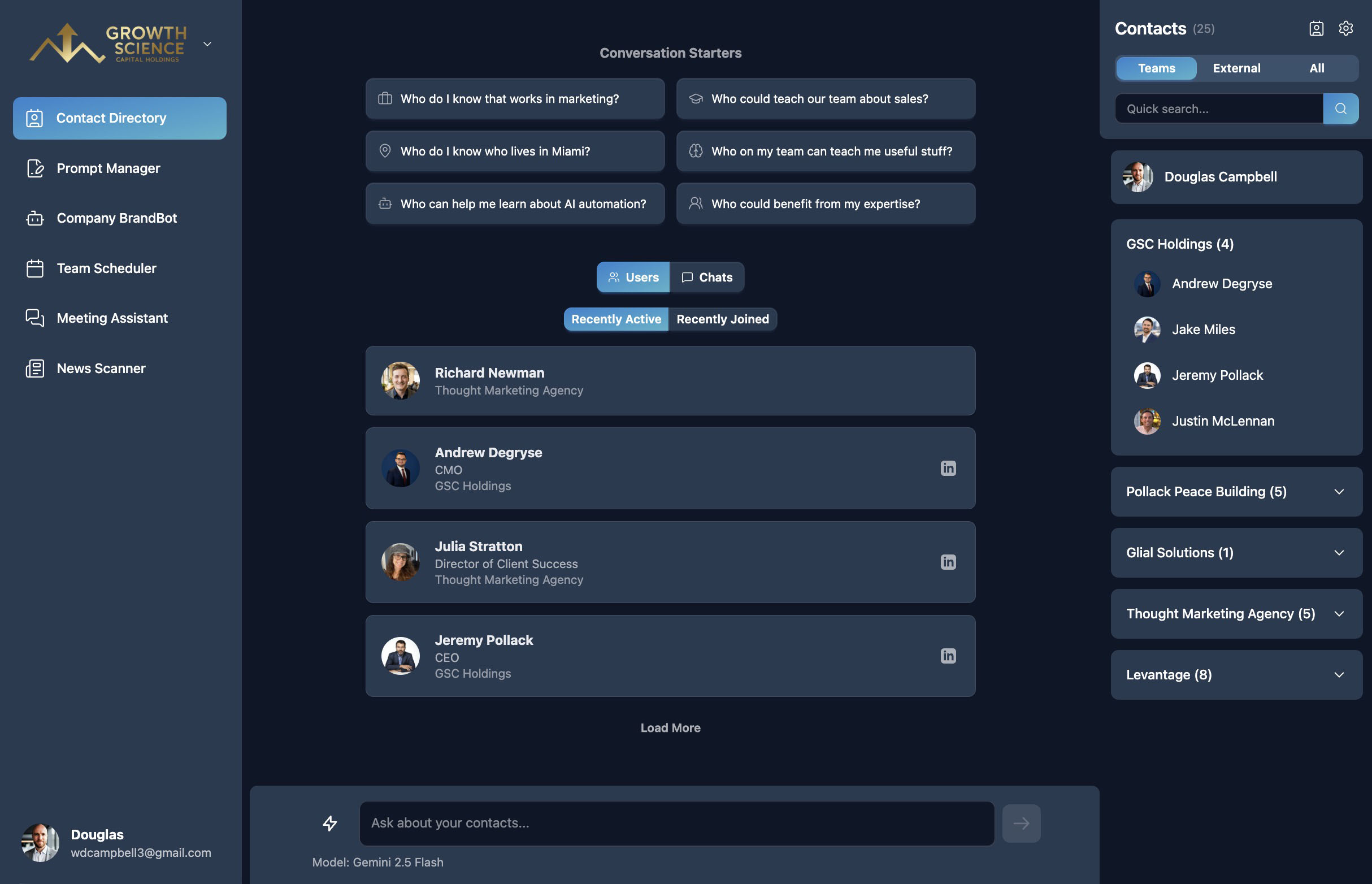
A shared, searchable directory of everyone your team knows — browse, filter, and explore connections in one place so the right contact is always a click away.
I'd like to put together a training session for the team to better understand our new rebranding initiative. Who should lead it?
Maria Lopez and Frank Barlow are your best bets. Maria can talk about the design, and Frank can talk about PR angles. Shall I book a call for the three of you?
Works inside
- Claude
- ChatGPT
- OpenAI Dots
- Meta Muse
- Grok Bot
- OpenClaw
- Any MCP-compatible agent
How it works
Find people and search for skills.
- 1
Fill in your profile
Add your title, bio, location, expertise, and LinkedIn once. Your team does the same.
- 2
Share your contact link
Send your personal link to new connections. When they join, they're added to your directory automatically.
- 3
Search or ask
Filter the directory, or ask the AI questions like “who on the team knows fintech?” or “who's based in Austin?”
What you get with Contact Directory
One directory for everyone
Your organization's members, connected partner organizations, and personal connections — side by side.
Search that understands you
Look people up by name, title, expertise, or location instead of scrolling through lists.
Ask your contacts anything
Chat with your directory in plain English to surface who knows what, then save or share the answer.
Rich, useful profiles
See titles, bios, locations, areas of expertise, what people can teach, and LinkedIn at a glance.
Shareable contact links
Send your personal contact page to anyone. New sign-ups are connected to you automatically.
One-click vCard
Download any contact straight to your phone or address book.
Contact Directory FAQ
Members of your organization, members of partner organizations you're connected to, and people who've connected with you through your personal contact link.
Not today. The directory is built from TeamCentral profiles, so the details stay current because each person maintains their own. It's a team directory, not a CRM.
Questions about the people in your directory — who has a certain expertise, who's in a particular city, or who held a specific role. AI chat is available on Professional and Organization plans.
Your profile is visible to people in your directory, and privacy rules are applied wherever contact details are shared. Your data is never used to train AI models.
Better together
Contact Directory is one part of the TeamCentral workspace.
Team Scheduler
Easily find group availability
Company BrandBot
Maintain on-brand AI content
Shared Links
Edit and share AI artifacts
Meeting Assistant
Get insights and summaries
News Scanner
Track industry news and updates
Prompt Manager
Save and find your best prompts
MCP Connector
Use from your favorite AI tool
And More
Actively growing tool selection
Find the right person — and reach them — in one ask
Included in every plan; AI contact chat on Professional and up.